Malware analysis,
under the lens.
From a suspicious file to an investigation you can inspect.
Malcat Logos is an AI-assisted static analysis workspace for cybersecurity professionals. It brings Malcat’s file-analysis engine and an AI investigator together to triage threats, explain behavior, recover payloads and extract configurations.
Choose a task, set the effort and let Logos investigate. Read the findings, then follow the evidence in the technical report—all in the same workspace.
Local or hosted models. One place to investigate.
Observe. Dissect. Understand.
Start with the question you need answered.
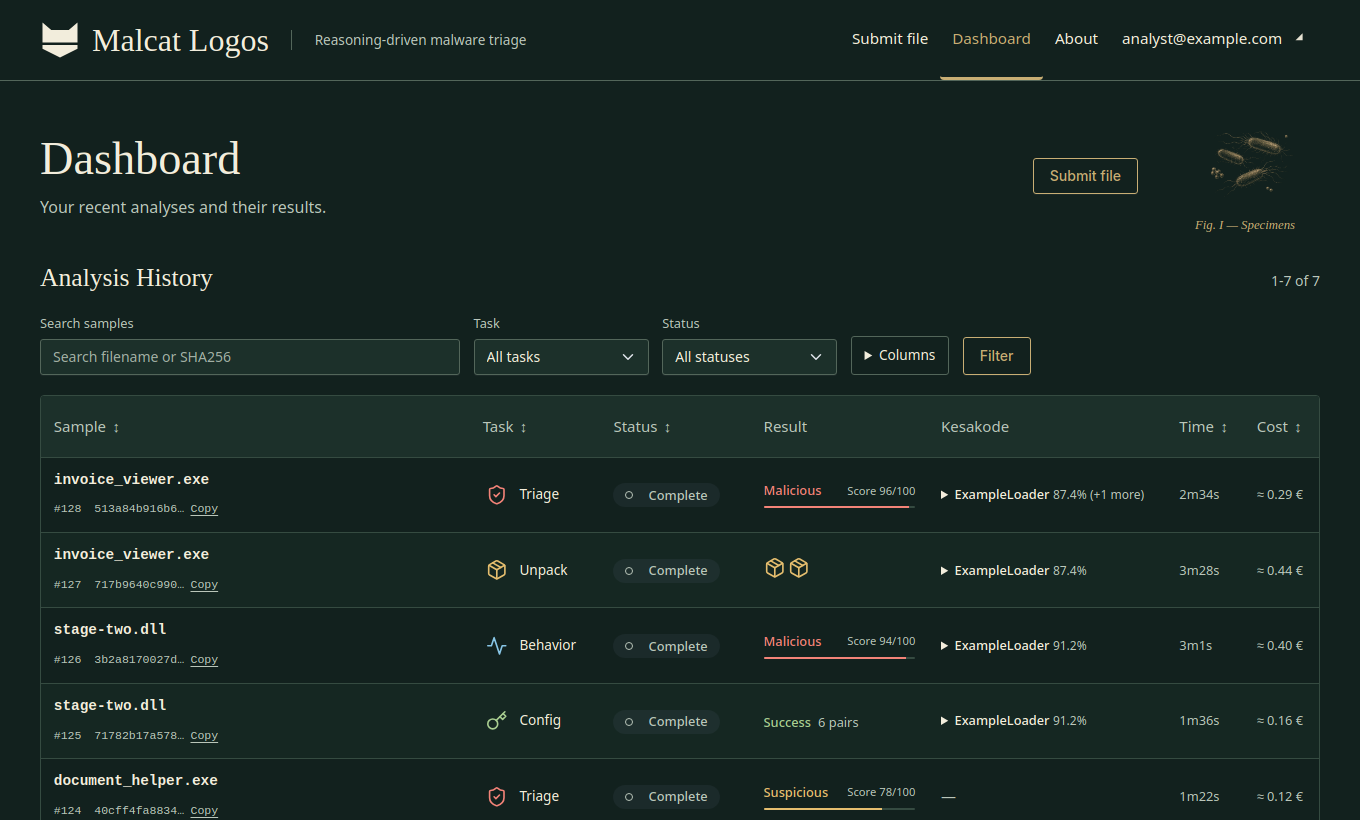
Different investigations call for different outcomes. Give Logos a focused task.
Is this file a threat?
Assess suspicious characteristics and weigh the evidence to help prioritize your response.
What you getA verdict, supporting evidence and limitations.
How does this file work?
Trace code and embedded objects, explain behavior and IOCs, and annotate useful functions and addresses.
What you getAn evidence-linked report with annotated file-and-project ZIPs, plus recovered payloads when found.
What is hidden inside?
Work through packing and encoding layers to recover payloads and embedded files for closer inspection.
What you getRecovered objects to download or analyse again.
How is it configured?
Look for malware configuration data, including command-and-control endpoints and operational settings.
What you getRecovered configuration values with their context.
Specialist tools. Inspectable evidence.
Control over your investigation.
An AI investigator is only as useful as the tools, evidence and boundaries you give it.
Malcat expertise, through MCP
Built on seven years of Malcat development and its best-in-class MCP server. Malcat powerful API gives the model structured access to parsers, disassembly, decompilation, signatures and transformations through one integrated analysis engine.
Explore the Malcat MCPRecognize code with Kesakode
Compare code fingerprints against known malware and libraries to give the investigation a head start. Use Malcat’s embedded offline or online database.
How Kesakode worksYour infrastructure. Your models.
Deploy locally with Docker, without a dedicated malware-execution VM for this static workflow. Bind Logos to any OpenAI-compatible inference provider (including OpenRouter) or your own local model. Samples don't to have leave your company network.
Two views of the same evidence
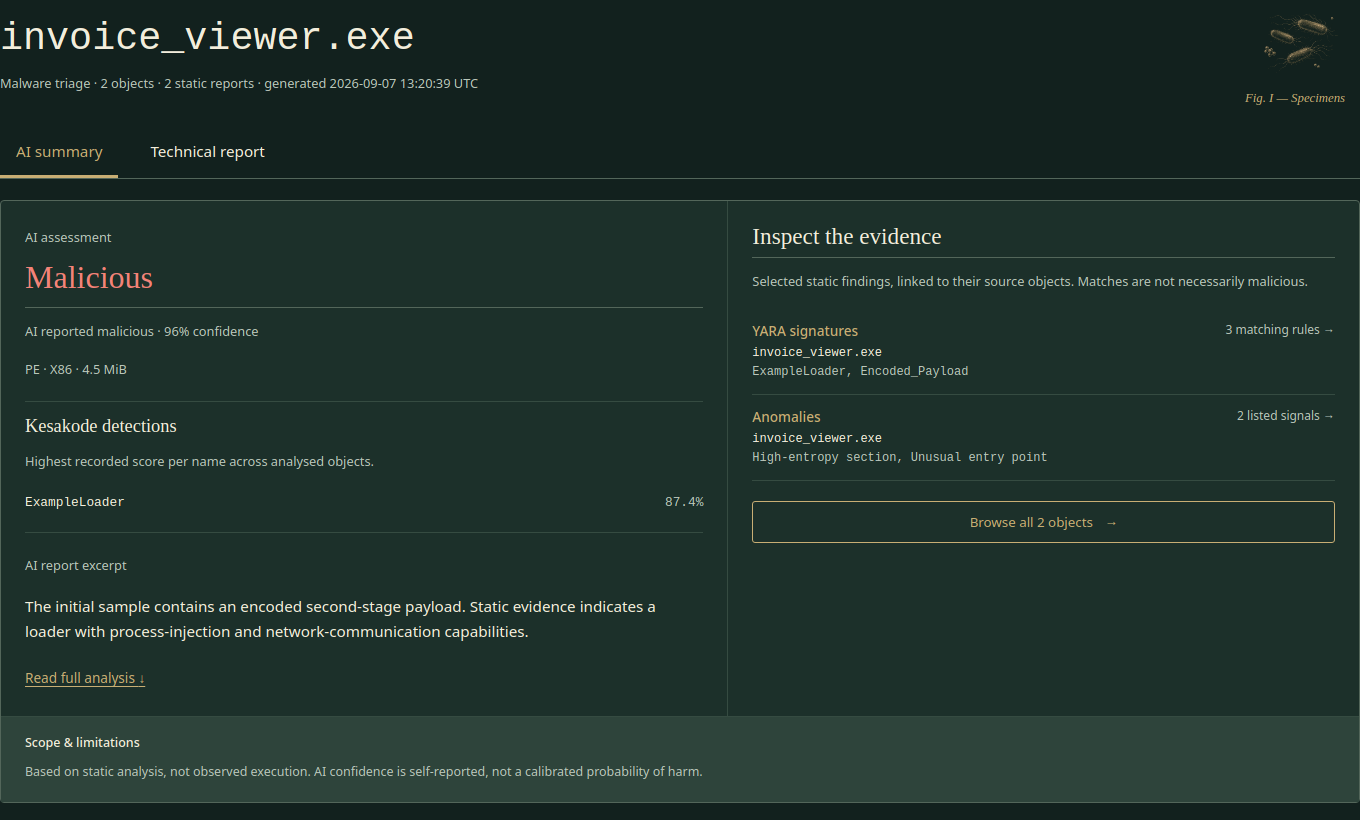
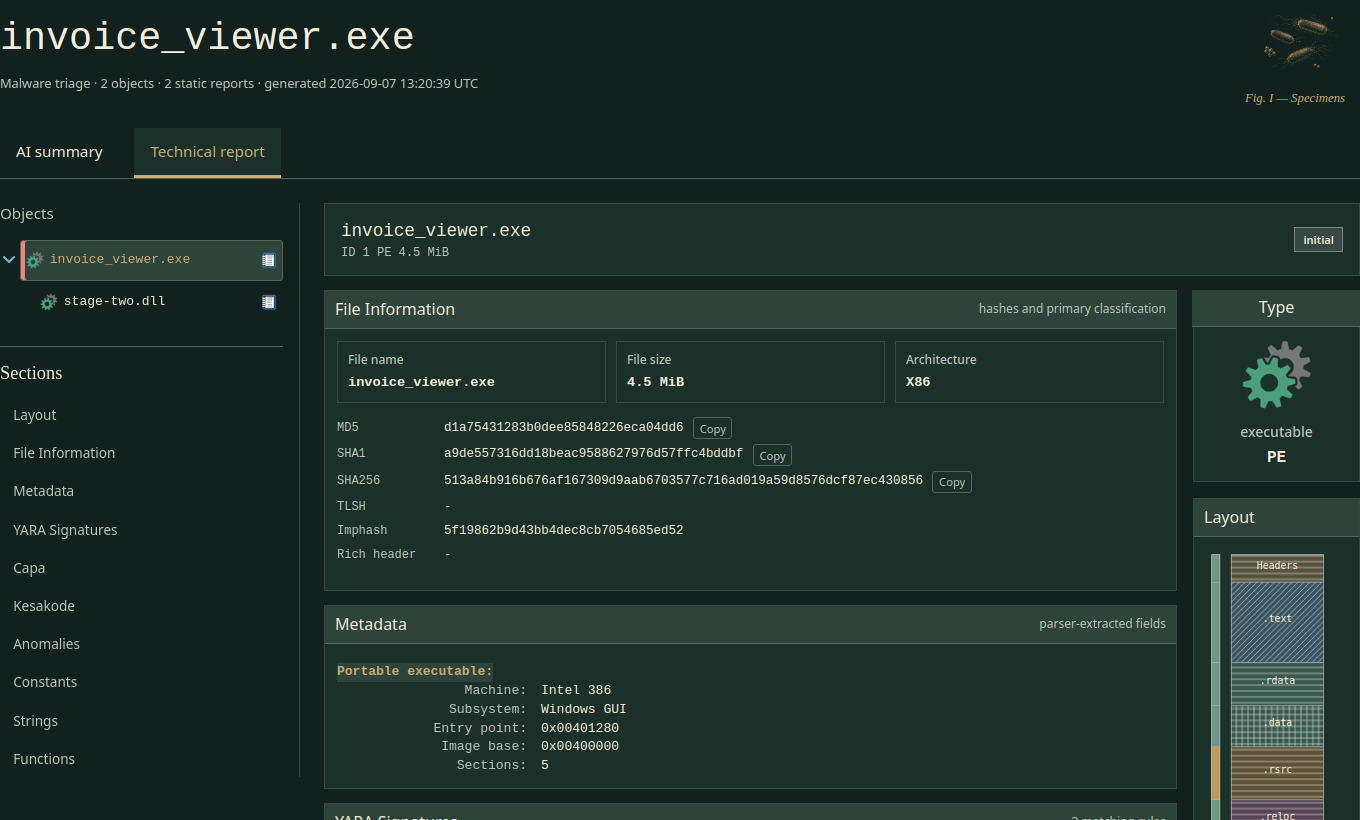
Get the explanation in the AI report. Switch to the technical report for object trees, file layouts, signatures, strings and functions. Move from a finding to the file behind it without changing tools.
An investigator, not a shell agent
The AI works through Malcat’s specialist tools, without general-purpose Bash or shell access. One integrated toolset keeps the investigation focused and limits the agent’s reach into the host environment.
Decide how far to go
Set time, token, inference-cost and recursion budgets. Follow live progress and ask Logos to wrap up with “Hurry up!” when you have enough to act on.
One investigation. Two complementary views.
The same sample, from conclusion to detail. Select either screenshot to view it full size.
Keep the investigation on your terms.
Local inference and offline Kesakode support a local analysis workflow. Hosted models and online lookups are choices you control through your deployment configuration.